 GlobeVision
A rejected AdSense application doesn’t just cost you an afternoon — it costs you the waiting period before you’re allowed to reapply, and it leaves you guessing what actually went wrong. Google’s rejection emails are famously vague (“low value content,” “site doesn’t comply with our policies”) without telling you which pages or which specific issue triggered them.
The good news: most rejections trace back to a small, predictable set of causes. Auditing your own site against them before you apply catches the majority of issues you can actually control.
Polishing the homepage and assuming the rest of the site is fine by extension. Reviewers (and the automated systems behind them) look at a sample across your whole site, not just the page you'd show a client — a strong homepage sitting on top of a dozen thin category pages is still a thin site.
Start with content, not design
AdSense reviewers — and the automated systems behind them — are primarily evaluating whether your site has enough original, useful content to justify showing ads next to it. A polished design doesn’t compensate for thin pages.
Go through your site and ask, page by page: does this page say something a reader couldn’t get in two sentences elsewhere? Pages under roughly 300 words, category pages with no text at all, and pages that are mostly embedded content (videos, affiliate widgets) with little original writing are the most common red flags.
Check for the legal pages Google expects
This is the single easiest fix on this list, and one of the most commonly missed:
- A Privacy Policy page, linked from your footer, that actually describes what data you collect
- A Contact or About page that makes it clear who runs the site
- Terms of Service, if your site involves accounts, purchases, or user-generated content
None of these need to be elaborate. They need to exist, be reachable from every page, and not return a 404.
Verify Google can actually crawl and index your site
A site that looks fine to you but is accidentally blocked in robots.txt, or set to noindex sitewide from a staging-site setting that never got reverted, will fail review regardless of content quality. Check:
- Your
robots.txtfile doesn’t disallow/or key sections - Your key pages don’t carry a
noindexmeta tag by accident - Your sitemap.xml exists and lists your real pages
Look for broken pages and dead links
A site with a meaningful number of 404s or broken internal links reads as neglected — both to a human reviewer and to the crawler building a picture of your site’s health. Click through your main navigation and your most-linked pages; broken links hiding in old blog posts are the usual culprit.
Check your ad-to-content ratio expectations
If you’ve already placed ad units (from a previous account, or a template that came with placeholder ad slots), make sure they don’t dominate the page. A page that’s mostly ad space around a short paragraph is exactly the pattern AdSense policy exists to prevent.
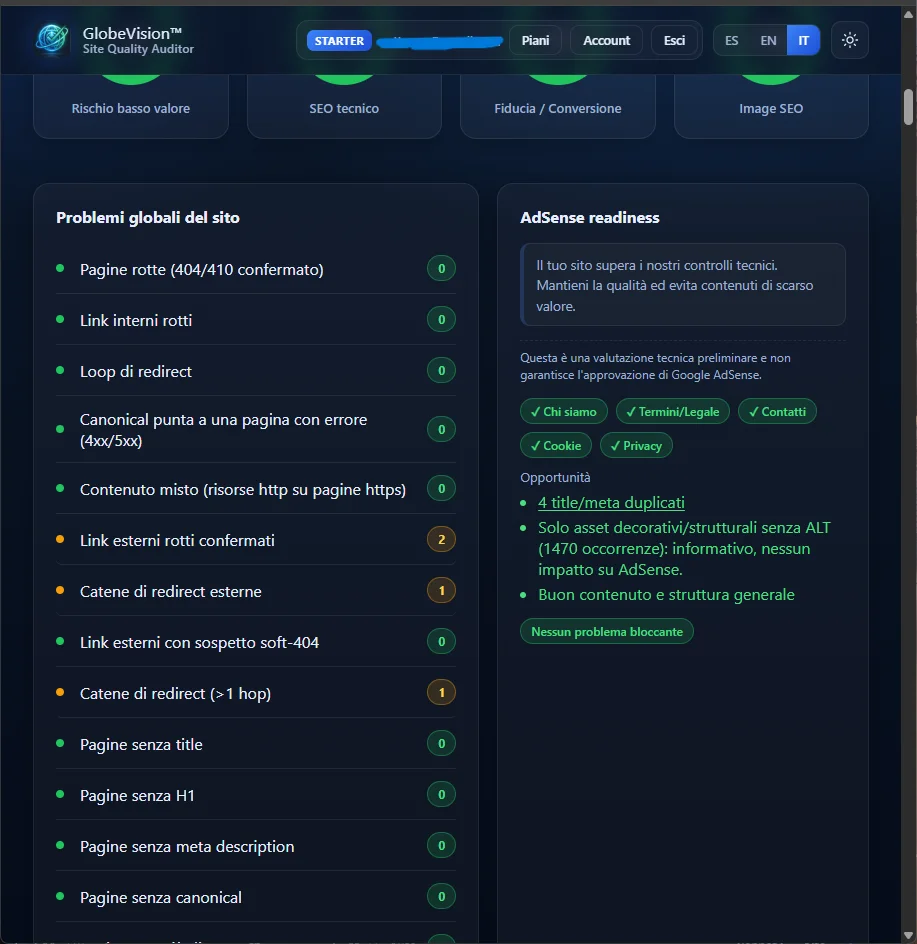
A simple pre-submission checklist
- Every page has genuinely original content — not just embedded media or affiliate links
- Privacy Policy, Contact, and (if relevant) Terms pages exist and are linked from the footer
robots.txtand meta robots tags don't accidentally block indexing- No significant number of 404s or broken internal links
- Site loads without major layout or console errors
- Ad placements (if any) don't overwhelm the content
Where this fits with a full site audit
Everything above is checkable by hand on a small site. It gets slower and easier to miss things as a site grows past a few dozen pages — which is exactly the point where an automated, whole-site audit becomes useful: it checks every reachable page against these same categories in one pass, rather than the ten pages you remembered to click through.
GlobeVision runs this kind of check across every page of your site, not a sample, and gives you a plain-language readiness read before you submit — including the specific pages behind each issue. It can't guarantee approval, since that decision belongs to Google alone, but it can make sure you're not submitting with an easily fixable problem still in place.