 GlobeVision

See what’s really holding your website back — one URL, one full audit.
Technical SEO, Google indexability, AdSense readiness, content quality and broken internal structure, analyzed automatically across your entire site — not just the page you paste in.
What GlobeVision detects
One audit, twelve dimensions — every check runs on every reachable page, not a sample.
SEO & indexability
The foundations that decide whether Google can find, crawl and rank your pages at all.
AdSense & content quality
The signals that determine whether your content reads as substantial — and whether it’s ready for AdSense review.
Technical & trust
Structural health and the legal/trust signals both visitors and Google expect to see.
Built for people who own their website’s results
Different goals, same starting question: what’s actually wrong, and what should I fix first?
WordPress publishers
Chasing AdSense approval, better indexing, or just a cleaner site.
AdSense applicants
Trying to find out exactly what’s blocking approval before resubmitting.
SEO freelancers & agencies
One report that covers technical, content and AdSense in a single pass.
Small business owners
Managing their own site without needing an SEO background.
How it works
Paste your root URL
One field. No setup, no plugin, no script to install.
GlobeVision crawls the whole site
Every reachable page, scored across technical, content and AdSense dimensions.
Get a prioritized fix list
Not a wall of data — the issues that actually move the needle, ranked.
What the report looks like
One overall score for the whole site, broken down by category — AdSense, indexability, technical SEO, content — with the exact pages and issues behind each number. Not a grade with no explanation.
One URL. Your whole site analyzed.
GlobeVision starts from a single URL, explores the reachable pages of the site, evaluates technical and editorial signals, and helps surface what deserves attention first.
See GlobeVision in action
Real results from a real audit — not a mockup.
Overall audit & score
One overview per site: URLs discovered and analyzed, critical errors, warnings and opportunities — plus a plain-language readiness read for AdSense and Google indexing.
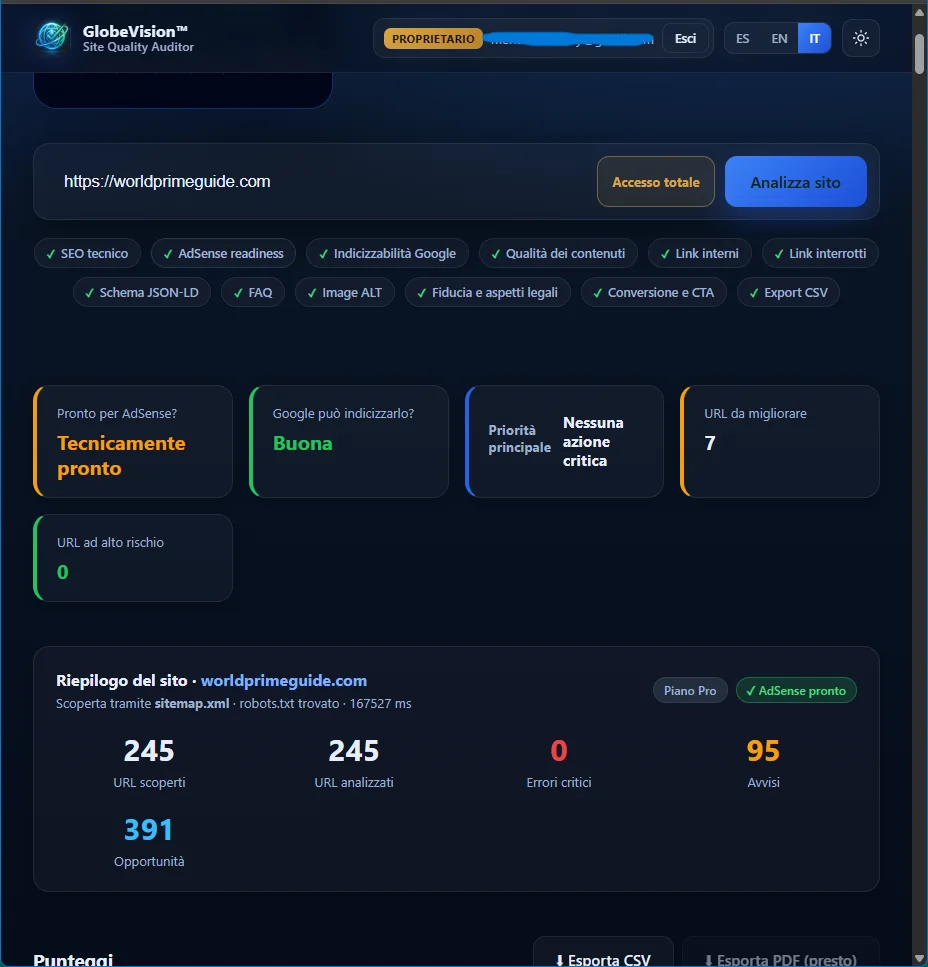
Issues, ranked and counted
Every check GlobeVision runs, listed with its exact count across your whole site — broken pages, redirect loops, duplicate titles, missing meta, and more.
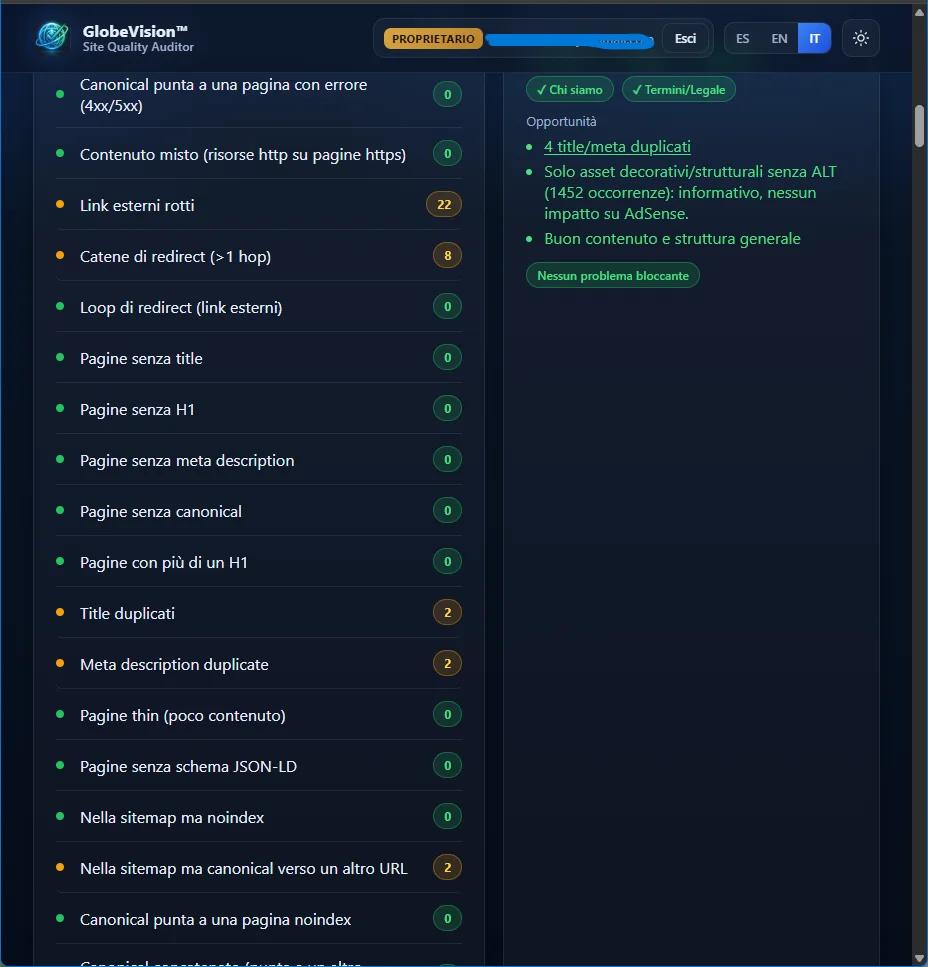
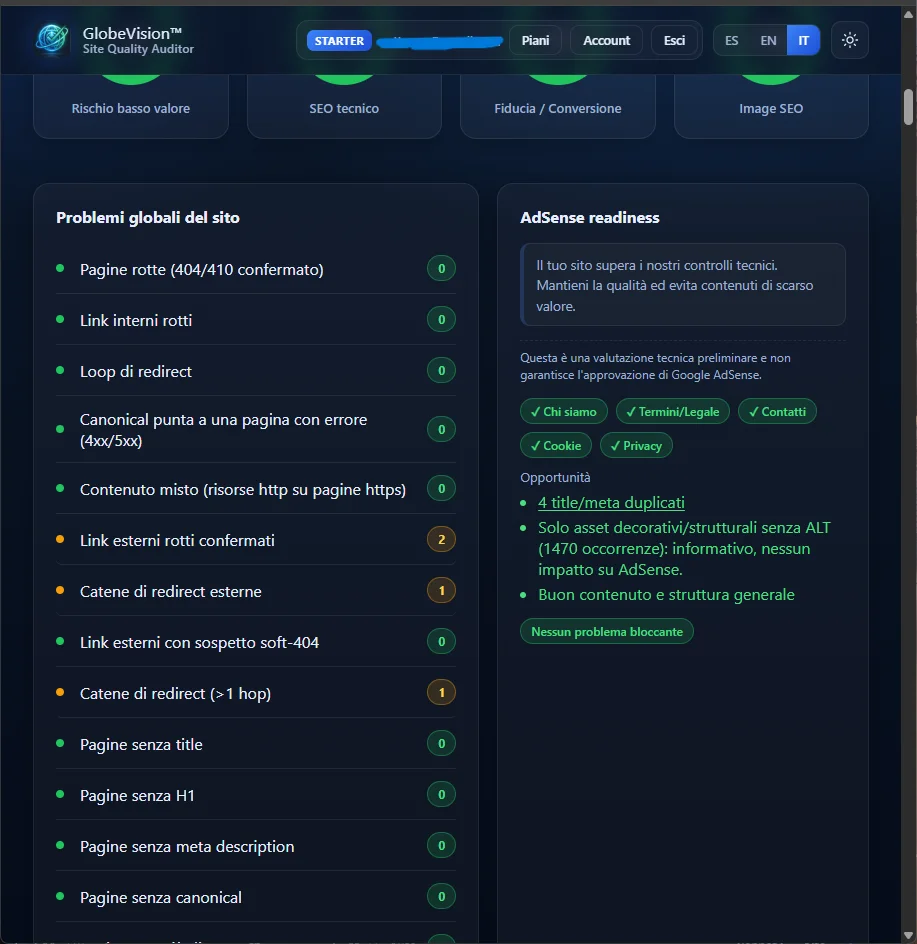
AdSense & SEO findings, explained
Not just a pass/fail — the actual reasoning behind the AdSense readiness verdict, plus the specific opportunities found, in plain language.
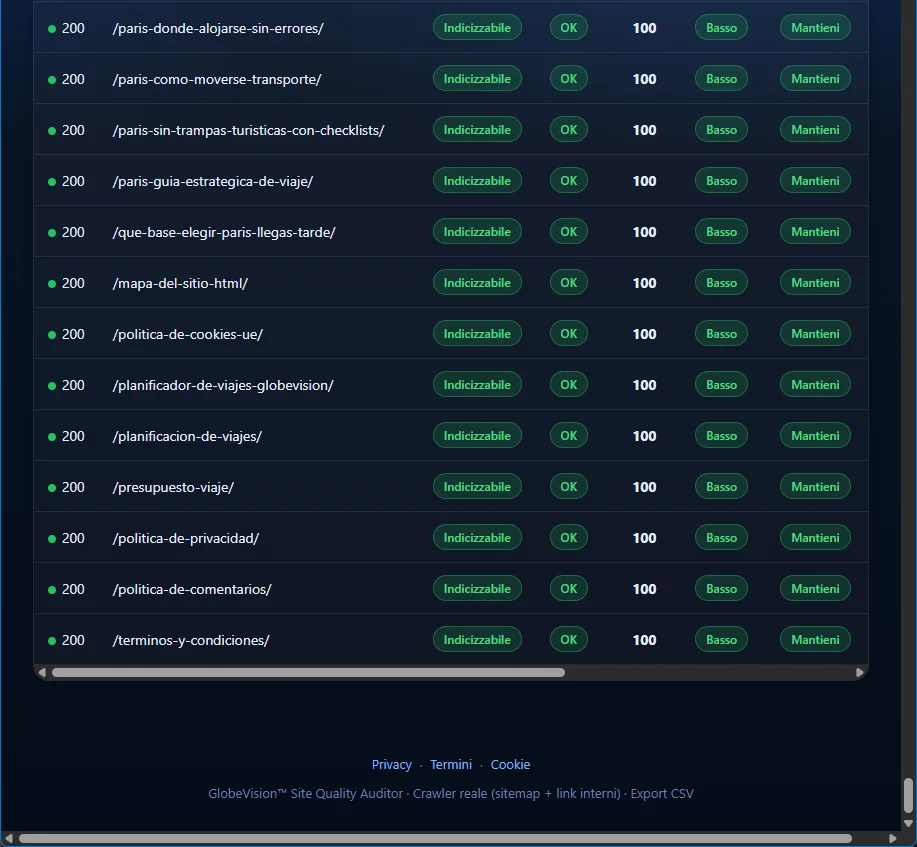
Page-by-page detail
Drill into individual pages: status code, indexability, checks passed, a per-page score, and a clear keep/fix recommendation — not just a site-wide average.
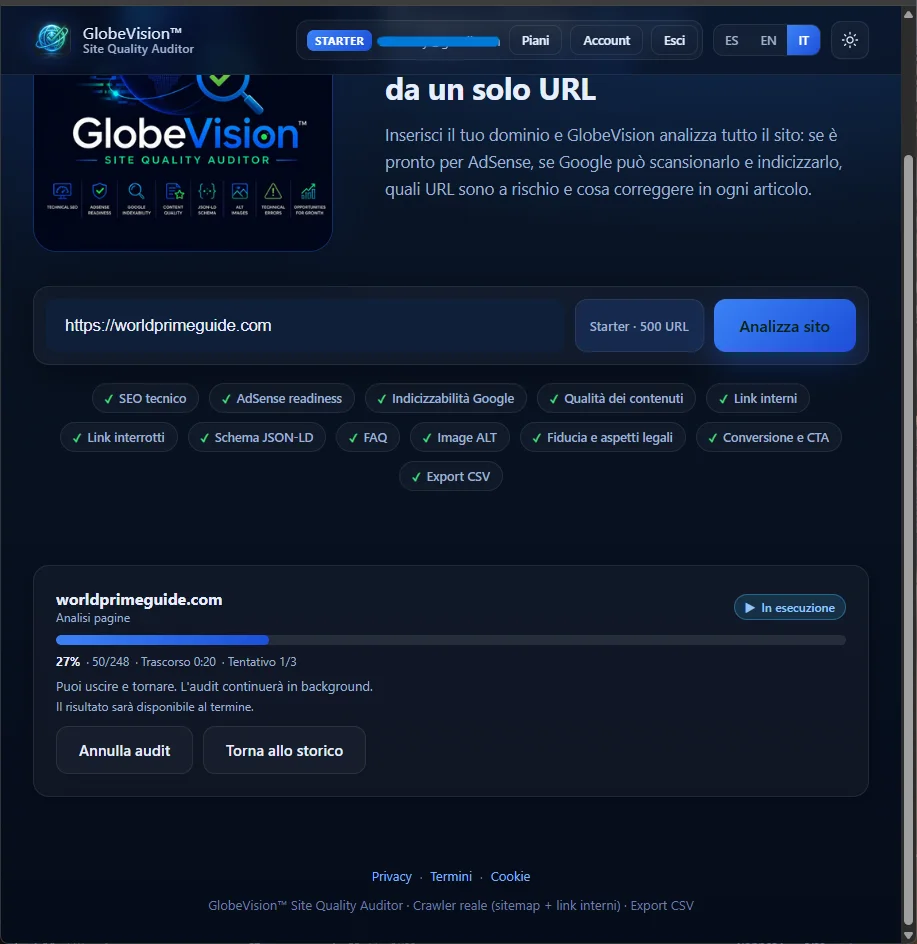
Live progress, not a black box
Async audits show real progress as they run — percentage complete, pages scanned, and a clear note that you can leave and come back; the result keeps building in the background.
What kinds of issues it finds
A sample of what shows up in a typical audit — the specifics change per site, the categories don’t.
Missing or duplicate title tags
Pages competing with each other, or with no clear title at all.
Images with no ALT text
Hurts accessibility, image SEO, and AdSense content signals together.
Broken internal links
Dead ends that waste crawl budget and frustrate visitors.
Missing or invalid schema
Structured data Google can actually use — or the lack of it.
Thin or duplicate content
Pages unlikely to rank, and unlikely to pass an AdSense review.
Missing legal / trust pages
Privacy, terms, contact info — expected by visitors and by Google alike.
AdSense readiness, checked properly
Thin content, missing legal pages, low ad-to-content ratio, slow pages — GlobeVision checks the real, common reasons AdSense applications get rejected, across every page on your site.
GlobeVision helps you fix common AdSense rejection causes. It cannot guarantee Google AdSense approval, which is Google’s sole decision.
Technical SEO & indexability
Sitemap and robots.txt issues, broken canonical tags, missing schema, orphaned pages, and the exact reasons Google Search Console shows pages as “discovered” or “crawled” but not indexed.
Go deeper
Short answers to the questions behind every score — with full guides if you want the details.
Why Google discovers pages but doesn’t index them
Being crawled and being indexed are different things — and the gap between them is usually a handful of fixable signals, not a mystery.
Read the guideWhat actually makes a site AdSense-ready
It’s rarely one dramatic issue — usually a mix of thin pages, missing legal pages, and a low ad-to-content ratio across the site.
Read the guideDuplicate titles and meta descriptions
Two pages competing for the same search result confuses Google and dilutes both. Here’s how to find and fix every instance.
Read the guideBroken internal links, and why they add up
One broken link is a typo. Fifty is a structural problem that wastes crawl budget and erodes trust.
Read the guideImage ALT text: more than a checkbox
ALT text serves three different audiences at once — screen readers, image search, and content-quality signals.
Read the guideJSON-LD schema, explained without the jargon
Structured data doesn’t change your rankings directly — but it changes what Google can understand about your page.
Read the guideA technical SEO checklist for small sites
You don’t need an enterprise SEO team to cover the basics. Here’s what actually matters, in order.
Read the guideAuditing your site before you apply for AdSense
A rejected application costs you weeks. Here’s what to check first, before you submit.
Read the guideWhy GlobeVision instead of checking by hand
Checking title tags, ALT text, broken links and schema by hand across 500 pages takes days and misses things. GlobeVision does the same checks, on every page, in one automated pass — and tells you what to fix first, not just what’s wrong.
Built to be trusted with your site
Billing via Stripe
We never see or store your card details.
Cancel anytime
Manage or cancel anytime through the Stripe customer portal — access continues until your current billing period ends, no hidden cutoff.
Read-only audits
GlobeVision reads your site to score it. It never modifies your pages.
Clear methodology
Every score is based on checks you can see and understand, not a black box.
Frequently asked questions
What’s the difference between the per-audit limit and the monthly allowance?
The per-audit limit is how many URLs one single audit can crawl (e.g. 500 on Starter). The monthly allowance is your total across all audits in a billing month (e.g. 5,000 on Starter). They’re separate numbers — see the pricing page for the exact split per plan.
Does GlobeVision guarantee AdSense approval?
No. GlobeVision helps you fix common, well-known rejection causes. Approval is Google’s decision alone.
Can I cancel anytime?
Yes. Cancellation takes effect at the end of your current billing period — you keep access until then, nothing is cut off immediately.
Is the Free plan really free?
Yes — 250 URLs, as a one-time lifetime allowance, no credit card required to start.
What happens if I go over my monthly allowance?
Nothing is charged automatically. New audits simply pause until your allowance resets at the start of your next billing period — upgrade anytime if you need more sooner.
Need help or found a bug?
Email support@globevision.cloud — our technical support team will help with product, account or billing questions.