 GlobeVision
Every site accumulates broken internal links over time, even without anyone doing anything wrong. You rename a page, delete an old promotion, restructure your category pages — and every link pointing to the old URL, from every other page on your site, silently breaks unless you remembered to redirect it. On a site with more than a year or two of content, that adds up.
A single 404 from an old, rarely-visited page is a rounding error, not a problem worth chasing. Dozens of broken links across the site is a different thing entirely — a structural pattern that keeps growing as the site changes, not a one-off mistake.
Why one broken link is fine, and fifty is a problem
A single 404 from an old, rarely-visited page is a rounding error. The issue is the pattern: broken links accumulate in proportion to how much a site has grown and changed, and they don’t fix themselves. A site with dozens of broken internal links reads, to both visitors and to search engines building a picture of site quality, as under-maintained — even if the actual content is good.
There’s also a direct crawl-efficiency cost. Every broken link a crawler follows is crawl budget spent on nothing. On a larger site, that’s crawl budget not spent discovering or re-crawling your actual content.
The three most common causes
Renamed or restructured URLs without redirects. You changed /blog/old-post-name/ to /blog/new-post-name/ for a cleaner slug, but every internal link (and every external backlink) still points to the old one, and nothing redirects it.
Deleted content that was never unlinked. A promotion page, an old product, a retired service — deleted, but still linked from a navigation menu, a related-posts widget, or an old blog post that mentioned it.
Typos in manually-typed URLs. Especially common in older content written before your CMS offered a proper internal link picker — a single mistyped character in a hand-written <a href> breaks silently and often goes unnoticed for years.
How to find them
Clicking through your navigation catches the obvious ones — your main menu, your footer, your homepage. It won’t catch links buried in old blog posts, which is where most broken links actually accumulate on content-heavy sites.
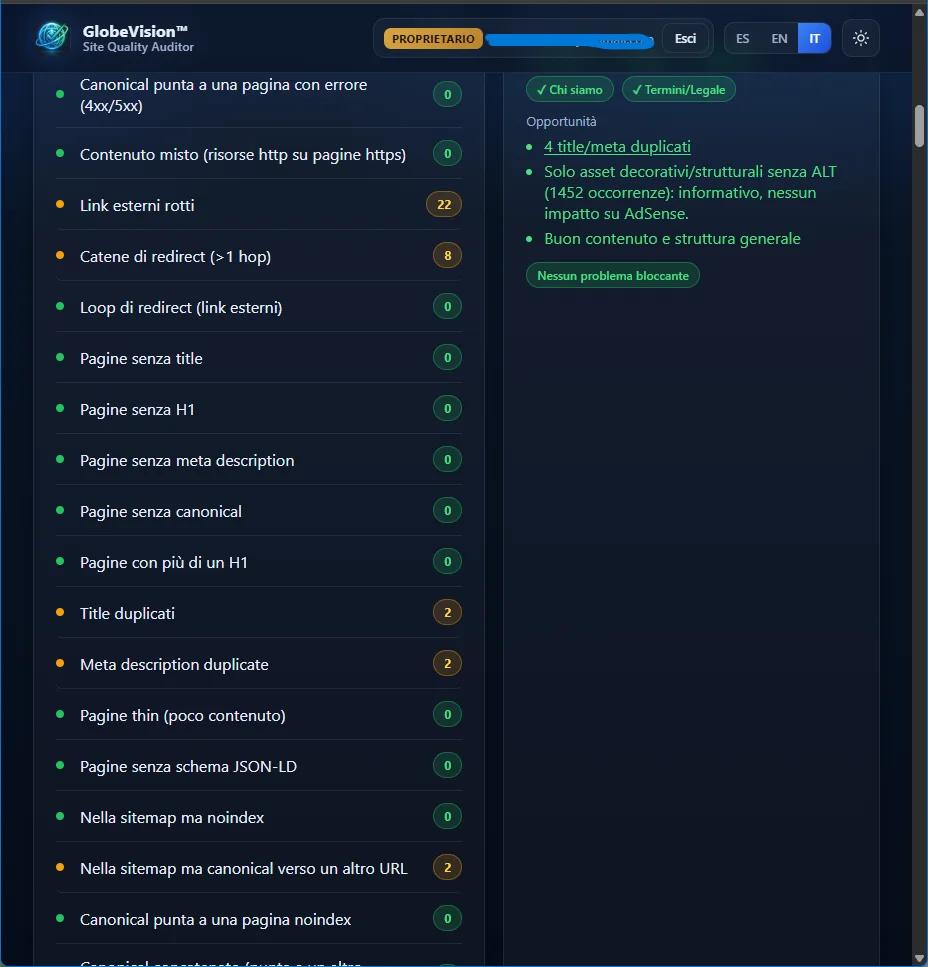
A full crawl of your site, checking every internal link’s destination for a non-200 response, is the only reliable way to find the complete list. Doing this by hand beyond a few dozen pages isn’t realistic — this is squarely the kind of task worth automating.
How to fix each one, without creating new problems
- Destination still exists at a new URL — add a 301 redirect from the old URL rather than editing every link manually
- Destination is genuinely gone — point the link to a related, still-live page instead of removing it outright where possible
- Nothing relevant exists — remove the link rather than leaving it broken
- It's a typo — fix the URL directly in the source content
Avoid the common trap: fixing symptoms, not the pattern
If you find yourself fixing the same category of broken link repeatedly — say, links to old category pages every time you restructure — the fix isn’t just patching each instance, it’s setting up a redirect rule at the pattern level, or reconsidering whether the restructuring should have preserved the old URLs in the first place.
Making this a recurring check, not a one-time cleanup
Broken links aren’t a problem you fix once. They reappear every time you restructure, delete, or rename something — which means a one-time cleanup degrades again within months on an active site.
GlobeVision checks every internal link on every reachable page during each audit, so broken links show up as a standing item you can monitor over time rather than something you rediscover by accident when a visitor reports it.