 GlobeVision
If you’ve spent any time in Google Search Console’s Page Indexing report, you’ve probably seen it: a page marked “Discovered — currently not indexed.” It’s not an error, exactly, and Google won’t tell you precisely why — which makes it one of the more frustrating statuses to deal with.
Google knows the URL exists — usually because it found it in a link or your sitemap — but hasn't crawled it yet, or crawled it and decided, for now, not to add it to its index. It's not the same as a 404 or a technical block: it's a priority decision.
Here’s what’s actually happening, and what tends to fix it.
Discovery and indexing are two different steps
Google’s process for a new or existing URL roughly follows four conceptual stages:
- Discovery — Google finds the URL exists, usually via a link from another page, your sitemap, or a previous crawl.
- Crawling — Googlebot requests the page and downloads its content.
- Evaluation — Google judges whether the page is useful and distinct enough to earn a place in the index.
- Indexing — the page joins the pool of pages eligible to appear in search results.
“Discovered — currently not indexed” means the URL stopped before step 4 — either it’s still queued for crawling, or it was evaluated and judged not yet worth indexing. Both cases show under similar wording, which is part of why it’s confusing.
The most common reflex is to repeatedly request indexing from Search Console, hoping a fresh request will "nudge" the page along. If the real cause is the evaluation step (thin, duplicate, or orphaned content), requesting another crawl doesn't change the outcome — it just changes when Google reconfirms it.
The most common reason: crawl budget and perceived value
Google doesn’t crawl and index every URL it discovers, especially not immediately. It allocates crawling effort based partly on how valuable it judges your site to be overall. A newer site, or a site with many thin or low-value pages, gets less crawling priority — so newly discovered pages sit in the queue longer, or get skipped.
This is why the fix is rarely “wait longer” alone. It’s usually about giving Google fewer reasons to deprioritize the page.
GlobeVision flags orphaned pages (no internal links pointing to them), unusually thin content, and near-duplicate patterns across your whole site — the same structural signals that tend to explain low crawl priority, without inspecting pages one by one by hand.
Check these, in order
1. Is the page actually worth indexing? Thin content, duplicate content that’s nearly identical to another page on your site, or a page that adds nothing beyond a category filter combination are common causes. Google is increasingly willing to simply not index pages it judges as low-value, even if there’s no technical issue at all.
2. Is the page well linked internally? Pages with no internal links pointing to them — orphaned pages reachable only via sitemap — get a lower priority signal than pages linked from your homepage, navigation, or other well-indexed pages.
3. Does your sitemap match reality? A sitemap listing thousands of thin or near-duplicate URLs actively works against you: it signals a site with a lot of low-priority content, which can lower Google’s crawl priority for the domain as a whole.
4. Is the page slow to load, or does it depend on client-side JavaScript to render its main content? Googlebot does render JavaScript, but it’s a more expensive, lower-priority process than reading static HTML — pages that need rendering can wait longer to be indexed.
5. Are you accidentally competing with yourself? If several near-identical pages target the same topic, Google may pick one as canonical and simply not bother indexing the rest — that’s a form of “not indexed” that isn’t really a bug.
Quick checklist before requesting reindexing again
- The page has genuinely useful content, not just a minor variation of another page
- It's linked internally from at least one already-indexed page, not only from the sitemap
- Your sitemap is accurate and doesn't list thin, duplicate, or non-canonical pages
- The page is actually crawlable: no accidental block in
robots.txt, no straynoindex - The canonical tag points to the right version of the page, not another one
- No near-identical pages still exist competing for the same topic
What actually helps
- Add genuine, specific content to thin pages rather than requesting reindexing repeatedly
- Link to new or important pages from your homepage or a relevant hub page, not just the sitemap
- Consolidate or
noindexgenuinely low-value pages (thin tag pages, empty category pages) rather than letting them dilute your site’s overall crawl priority - Keep your sitemap limited to pages you actually want indexed
Even after fixing everything above, indexing remains Google's decision, not a guaranteed outcome any tool — GlobeVision included — can promise. What these steps do is remove the most common technical and content causes, not promise a specific result.
Checking this across a whole site
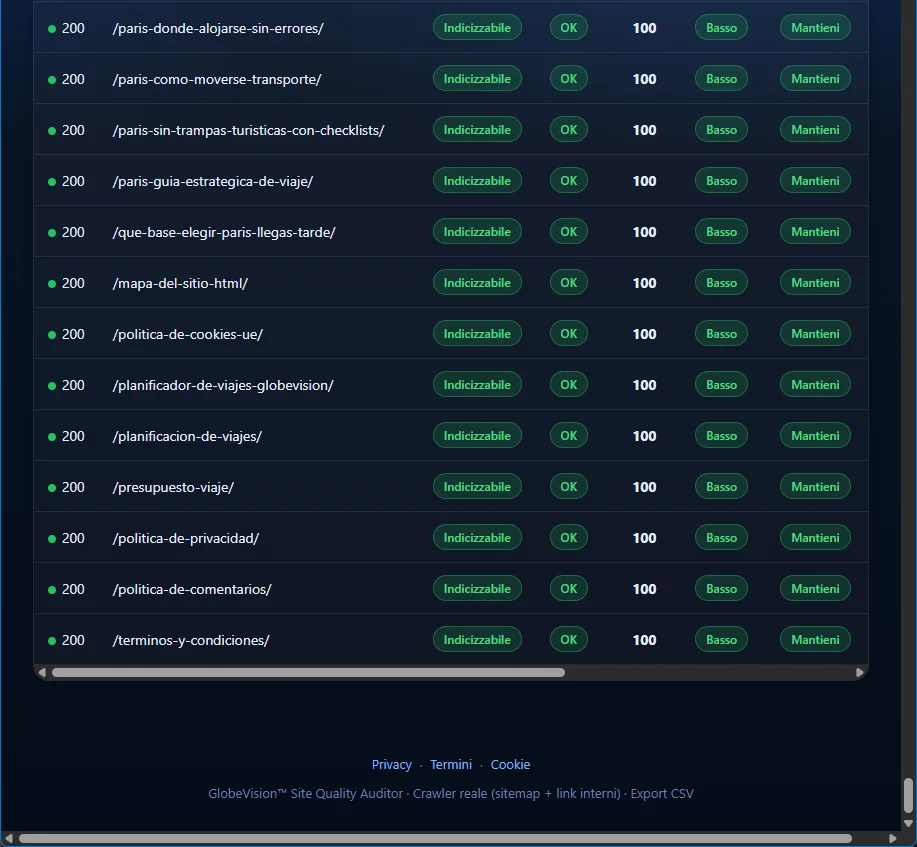
Search Console’s report is per-property, but it doesn’t tell you why a specific page was skipped, or flag the thin-content and orphaned-page patterns that usually explain it. That diagnostic work — checking which pages have no internal links pointing to them, which pages are near-duplicates of each other, which pages are unusually thin — is exactly the kind of thing worth automating across every page rather than spot-checking a few.
GlobeVision checks indexability signals like these across your whole site in one audit — orphaned pages, thin content, and the structural patterns that tend to sit behind a “discovered but not indexed” status — so you can see the pattern instead of guessing page by page.